Bulk broadcasts
Send approved template messages with images, videos, PDFs and buttons to thousands of contacts.
Reach customers where they already chat. Send personalised broadcasts, retarget people who clicked, and see exactly which campaigns drive sales.
Features
Plan, send and measure every campaign without spreadsheets or manual forwarding.
Send approved template messages with images, videos, PDFs and buttons to thousands of contacts.
Target by tags, attributes, purchase history or past campaign activity.
Plan campaigns in advance and send them at the time your audience is most active.
Re-send to people who did not read, did not click or did not buy, in a few clicks.
Track delivery, reads, clicks and revenue for every campaign.
Trigger welcome series, birthday offers and repeat-order reminders automatically.

Broadcast campaigns
Upload your contacts, tag them by interest or source, and send a personalised offer to everyone who opted in. Schedule it for the hour your customers are most active.

Campaign analytics
Each campaign shows how many people received, read, clicked and replied, day by day. Pick the people who clicked but didn't buy and follow up with them in one step.

Sell in the chat
When a customer replies to your campaign, your team picks it up in the shared inbox, sends the order and collects payment by UPI, all inside the same WhatsApp chat.
Click-to-WhatsApp ads
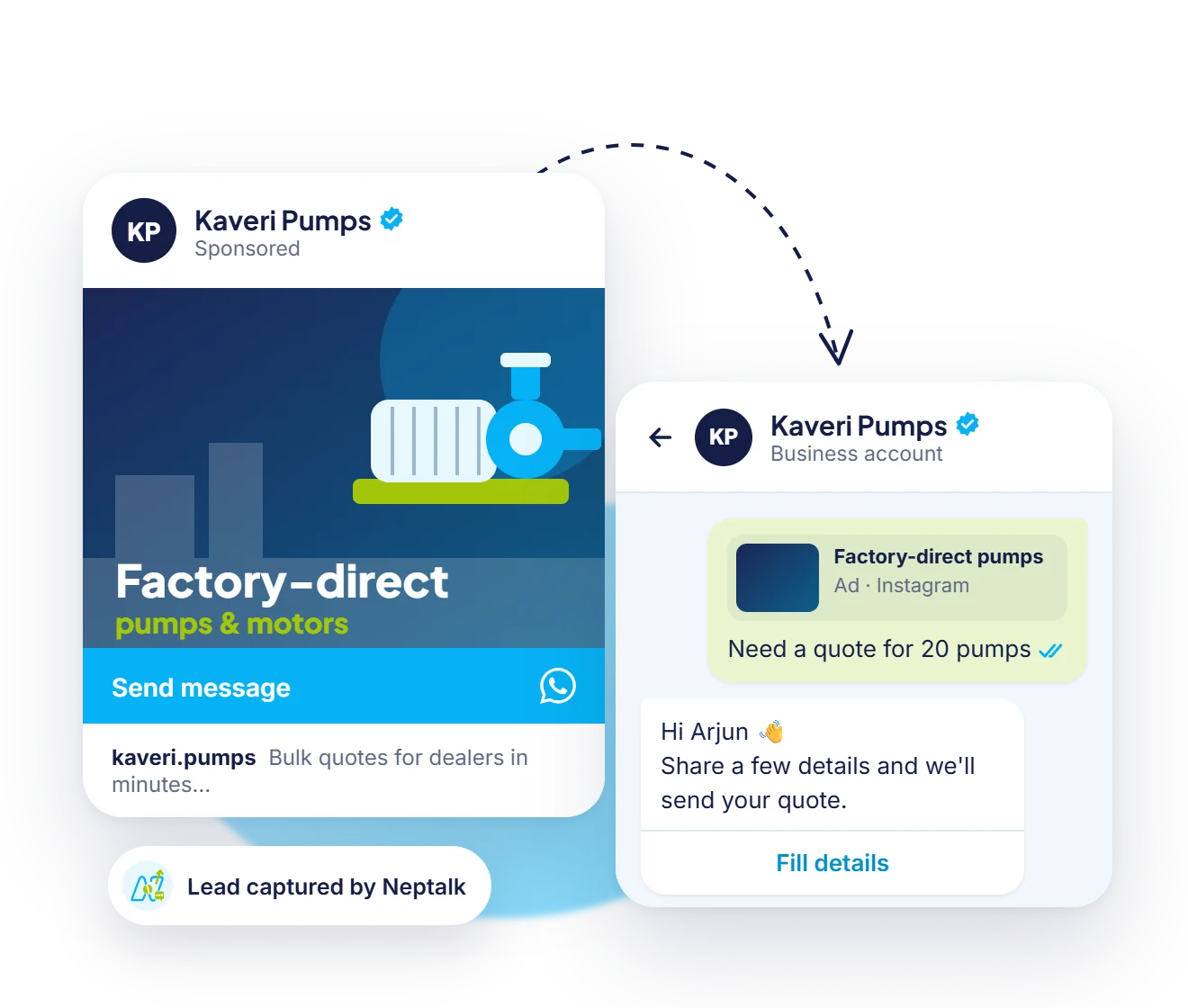
Run Facebook and Instagram ads that start a WhatsApp chat. Every person who taps becomes an opted-in contact you can message again.
How it works
Upload a CSV or sync contacts from your store or CRM, with opt-in status.
Write your message, add media and buttons, and submit it for Meta approval.
Pick a segment and personalise each message with names and details.
Send now or schedule, then track results and retarget in real time.
Use cases
Announce festive sales, flash deals and new collections.
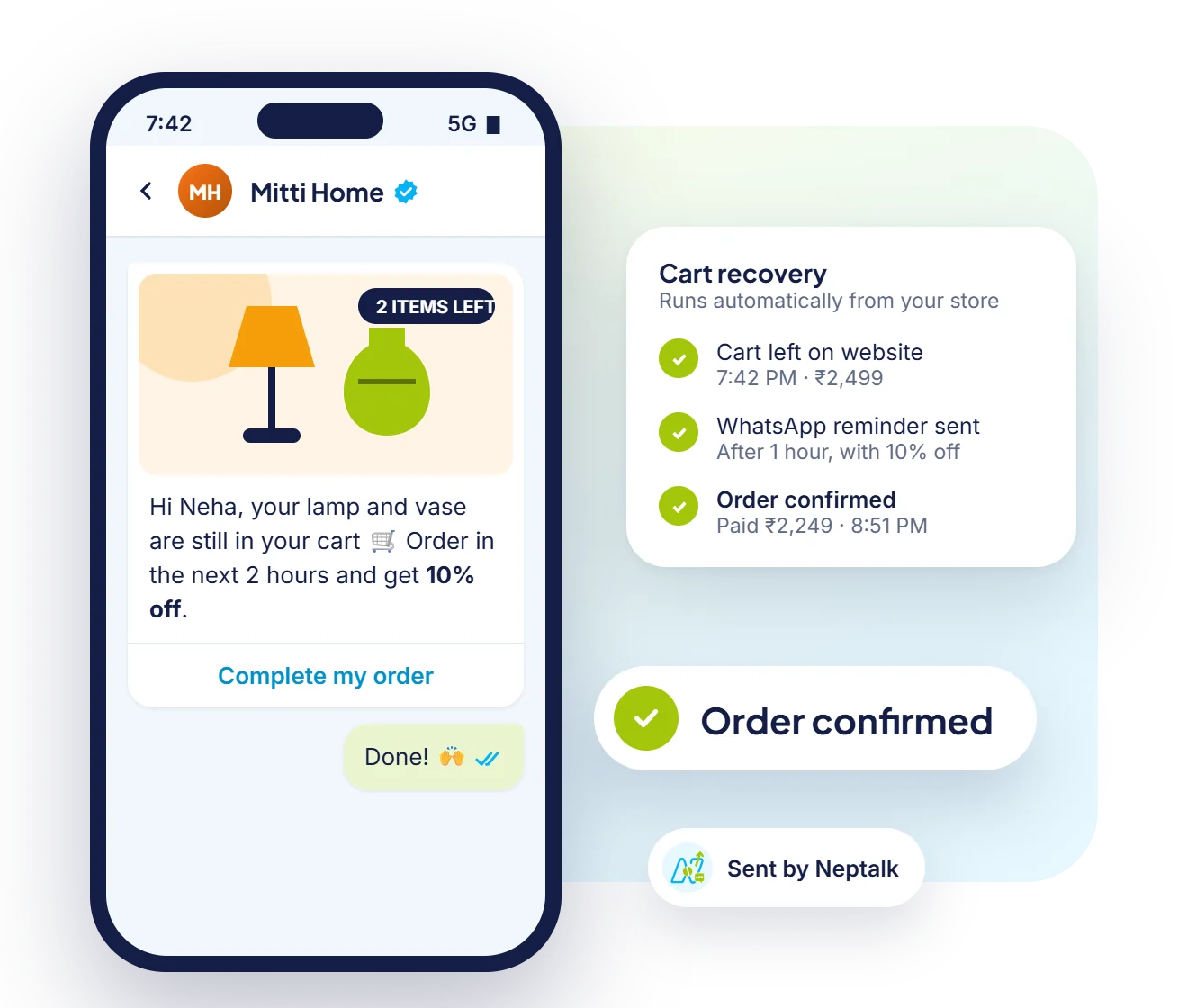
Remind shoppers about items left in their cart with a direct checkout link.
Invite people to webinars, launches and store events and send reminders.
Reward repeat customers with personalised coupons and early access.
Why Neptalk
Messages land in the app customers check most, with rich media and buttons that make it easy to act.
FAQ
Yes, when you use the official WhatsApp Business API, send approved templates and message only customers who have opted in. Neptalk helps you manage opt-ins and templates.
There is no fixed cap in Neptalk. Meta sets a daily messaging limit for your number that increases as you send quality messages to more customers.
Meta charges a per-message fee for marketing templates in India. See our pricing page for current rates. Neptalk passes Meta's rates through without markup.
Yes. Neptalk tracks deliveries, reads and button clicks for every contact, so you can retarget people who engaged.
Yes. Templates can include an image, video or document header, plus call-to-action and quick reply buttons.