Auto assignment
Route new chats by round robin, team, language or keyword so the right person replies first.
Stop passing one phone around the office. Neptalk's shared inbox lets every agent log in from their own device, pick up assigned chats and reply with full customer history in front of them.

Features
Everything your sales and support teams need to reply faster and never miss a chat.
Route new chats by round robin, team, language or keyword so the right person replies first.
Give admins, managers and agents different access to chats, contacts and settings.
Leave private notes and mention teammates inside a chat without the customer seeing them.
Save answers to common questions and insert them with a shortcut.
Tag chats by stage or topic and filter the inbox to focus on what matters now.
See response times, resolved chats and workload for each agent and team.
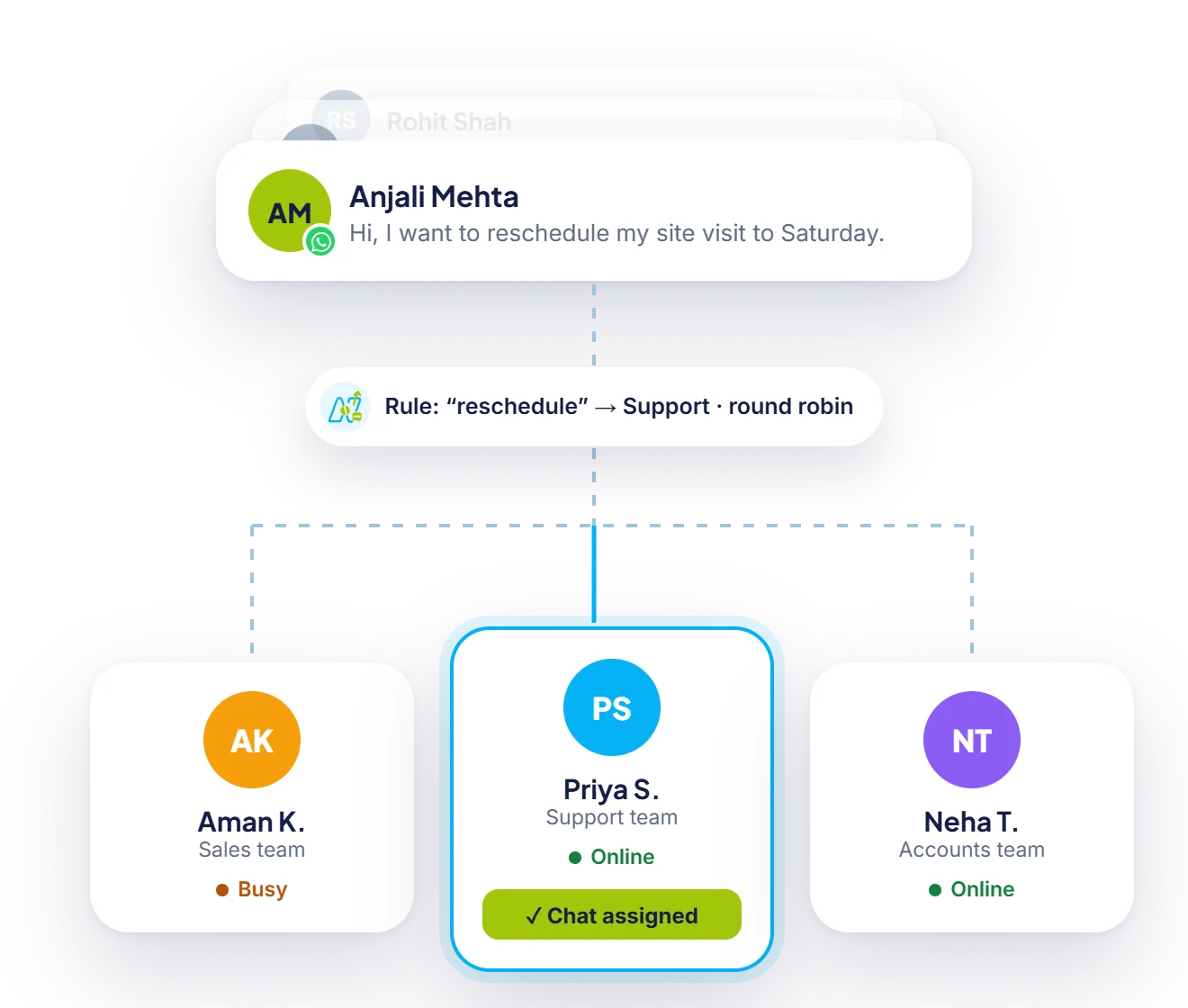
Chat routing
Assign conversations by keyword, team or language, and share them fairly between agents who are online.
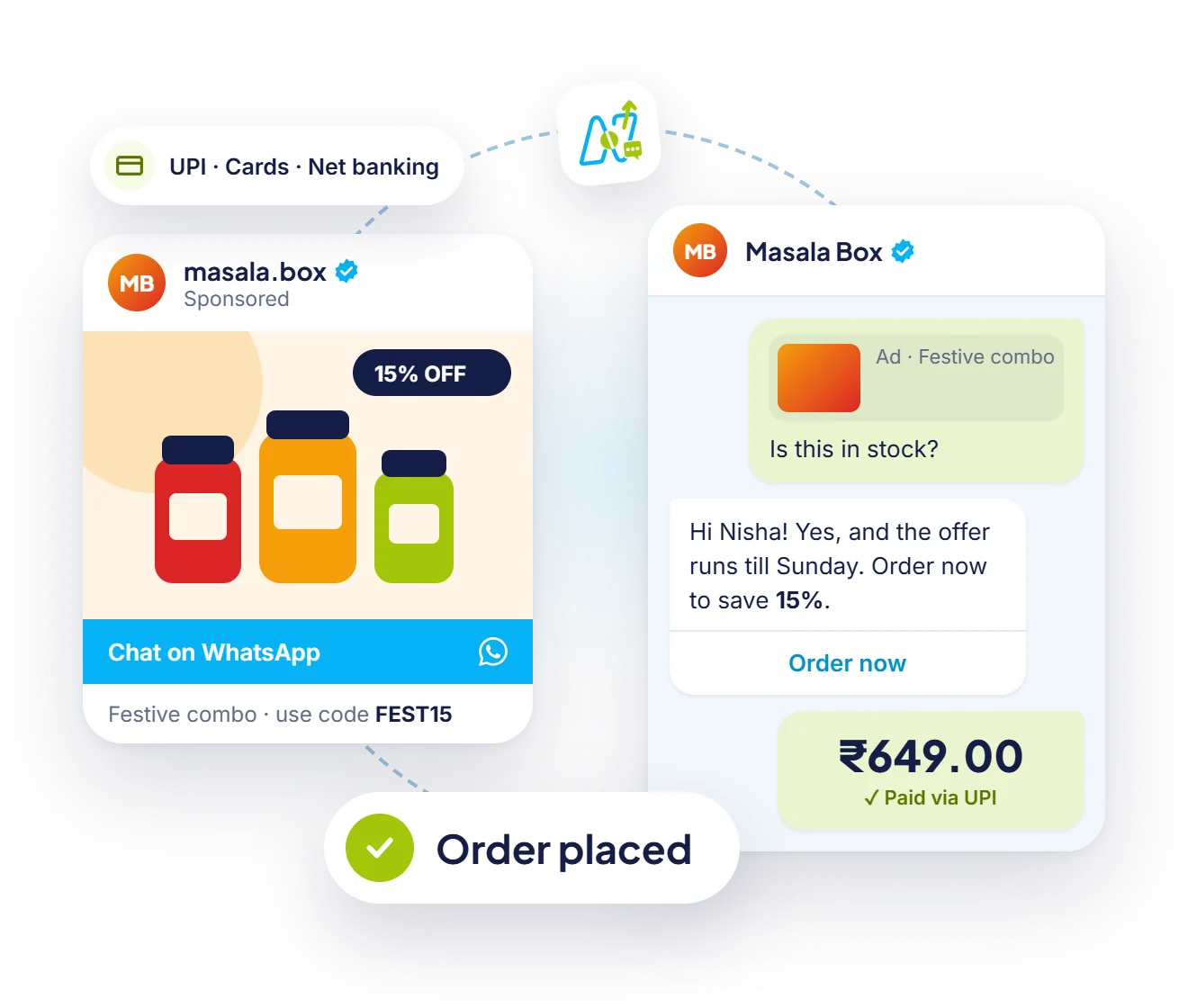
Payments
Send a payment request from the inbox. When the customer pays by UPI, the chat updates for everyone on the team.

Neptalk Assistant
Find customers who haven't replied, check how a campaign did or draft a follow-up, just by asking.
How it works
Bring your WhatsApp Business API number into Neptalk.
Add agents by email and set their roles and teams.
Decide how new chats are assigned and when they move between teams.
Agents reply from the web dashboard or mobile app with full chat history.
Use cases
Handle order, billing and service questions with clear ownership of every chat.
Assign leads to sales reps and track follow-ups until the deal closes.
Share property enquiries between site teams and keep a record of every visit request.
Answer pre-sale questions and post-sale issues from one place.
Why Neptalk
When every chat has an owner and every agent sees the history, customers stop repeating themselves and your team stops guessing.
FAQ
As many as your plan includes. Each agent logs in with their own account, and you can add more agents at any time.
Yes. Agents can use the Neptalk web dashboard on a computer or reply from a mobile browser.
Yes. Every message shows the agent who sent it, and reports show each agent's response times and resolved chats.
You can set an away message, let a chatbot or AI agent answer, and assign the chat to the next available agent in the morning.
Yes, you can move it to the API. Our team guides you through the migration so you keep the same number.