Native form screens
Text fields, dropdowns, date pickers and checkboxes that open inside WhatsApp.
Collect leads, bookings and feedback with forms that open right inside the chat. Customers finish in seconds, and every response lands in your CRM.
Features
WhatsApp Forms use Meta's native screens, so they feel fast and familiar on every phone.
Text fields, dropdowns, date pickers and checkboxes that open inside WhatsApp.
Split long forms into simple screens and show questions based on earlier answers.
Let customers choose a date and time slot that is actually available.
Send responses to Google Sheets, HubSpot, Zoho or any app with webhooks.
Trigger a confirmation, a chatbot flow or an agent handover after submission.
The customer's WhatsApp number comes with every response, so there are no fake leads.

From ads
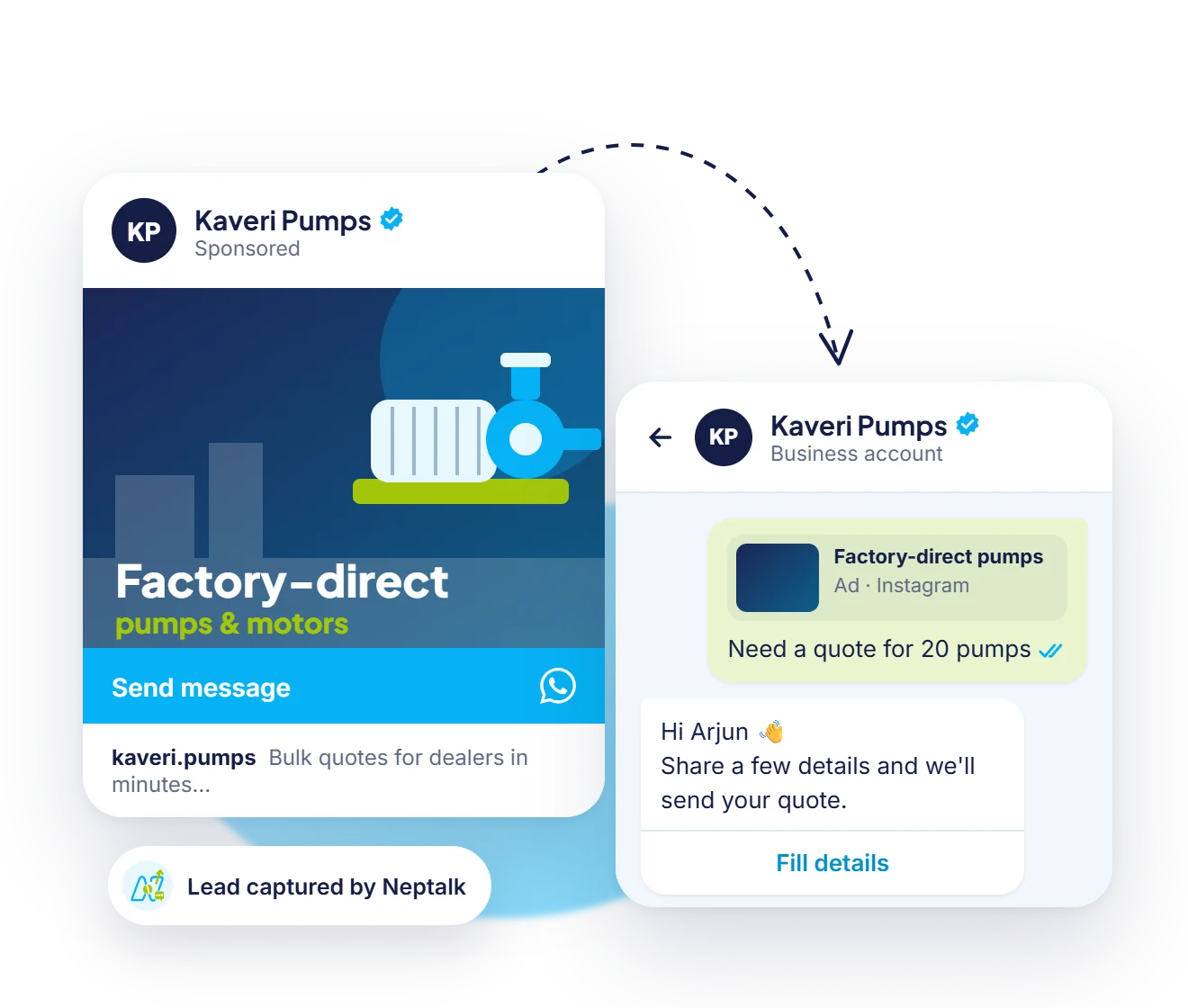
Create a Click-to-WhatsApp ad and attach a form, so people share their details seconds after they tap.

In any flow
Drop a form block into a flow to collect bookings, quote details or feedback at exactly the right step.

Saved to contacts
Form answers become contact fields and tags, so you can filter, follow up and broadcast to the right people later.
More ideas
Any time you would send a web form or call to collect details, a form inside the chat is faster for the customer.
Collect product, quantity and delivery location, then send a quote the same day.
Ask income, city and amount, and show the next step based on the answers.
Gather vehicle, health or travel details to price a policy in minutes.
Date, time and number of guests, confirmed straight back in the chat.
Name, company and session choices, with a ticket or QR code sent after submission.
Destination, dates and budget captured before your travel expert calls.
Model, issue and photos for repairs or installation visits.
Short rating and comment forms sent once an order or service is complete.
How it works
Start from lead capture, booking, survey or registration templates.
Add, remove and reorder questions with the form builder.
Send it in a campaign, chatbot flow or reply from the inbox.
See responses in Neptalk and sync them to your tools.
Use cases
Qualify leads with a short form instead of long back-and-forth chats.
Book consultations, demos, test drives and site visits.
Collect ratings and reviews right after an order or visit.
Sign people up for events, webinars and courses.
Why Neptalk
Customers don't have to open a browser or type their number. Fewer steps means more people finish.
FAQ
WhatsApp Forms, built on Meta's WhatsApp Flows, are interactive screens that open inside the chat so customers can fill in details without leaving WhatsApp.
No. Forms work in the regular WhatsApp app on Android and iPhone.
Responses are saved in Neptalk and can be synced to Google Sheets, your CRM or any system through webhooks.
Yes. Add a form button to an approved template and send it to your audience.
Yes. Multi-step forms can show or skip screens based on what the customer chose earlier.
Yes. Link a Click-to-WhatsApp ad to a form, so people who tap the ad can share their details in seconds.
Yes. Send a confirmation, assign the lead to a sales rep, add tags or push the answers to your CRM or Google Sheets.