AI ad suggestions
Get suggested headlines, copy and audiences based on your business and goals.
Launch Facebook and Instagram ads that open a WhatsApp chat, reply to every lead instantly, and see which ads bring real customers, all from Neptalk.

Features
No more switching between Ads Manager, spreadsheets and phones. Every ad lead lands in your WhatsApp inbox with context.
Get suggested headlines, copy and audiences based on your business and goals.
Create ads for Facebook and Instagram that open a WhatsApp chat with your business.
Greet every lead in seconds and ask qualifying questions with a chatbot flow.
Tag leads by ad, campaign and answers so your team can prioritise follow-ups.
Track spend, chats started, cost per lead and conversions for every ad.
Send follow-up broadcasts to people who chatted but did not buy.

Create an ad
Pick the goal, choose who should see it, write the ad and set a budget. Neptalk sends it to Meta for review and tells you the moment it goes live.
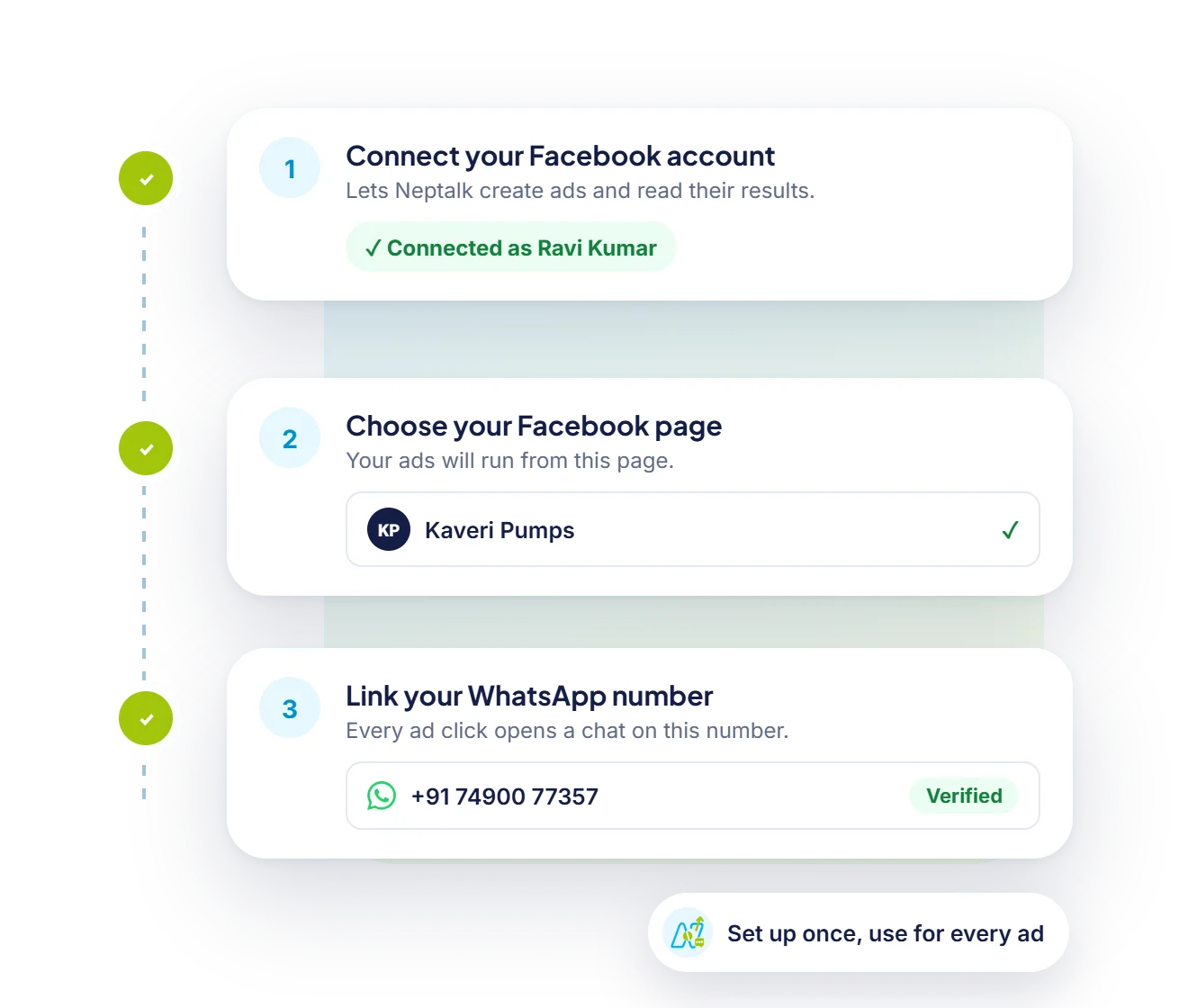
One-time setup
Link your Facebook account, choose the page your ads run from and connect your WhatsApp number. Every ad after that is a few clicks.
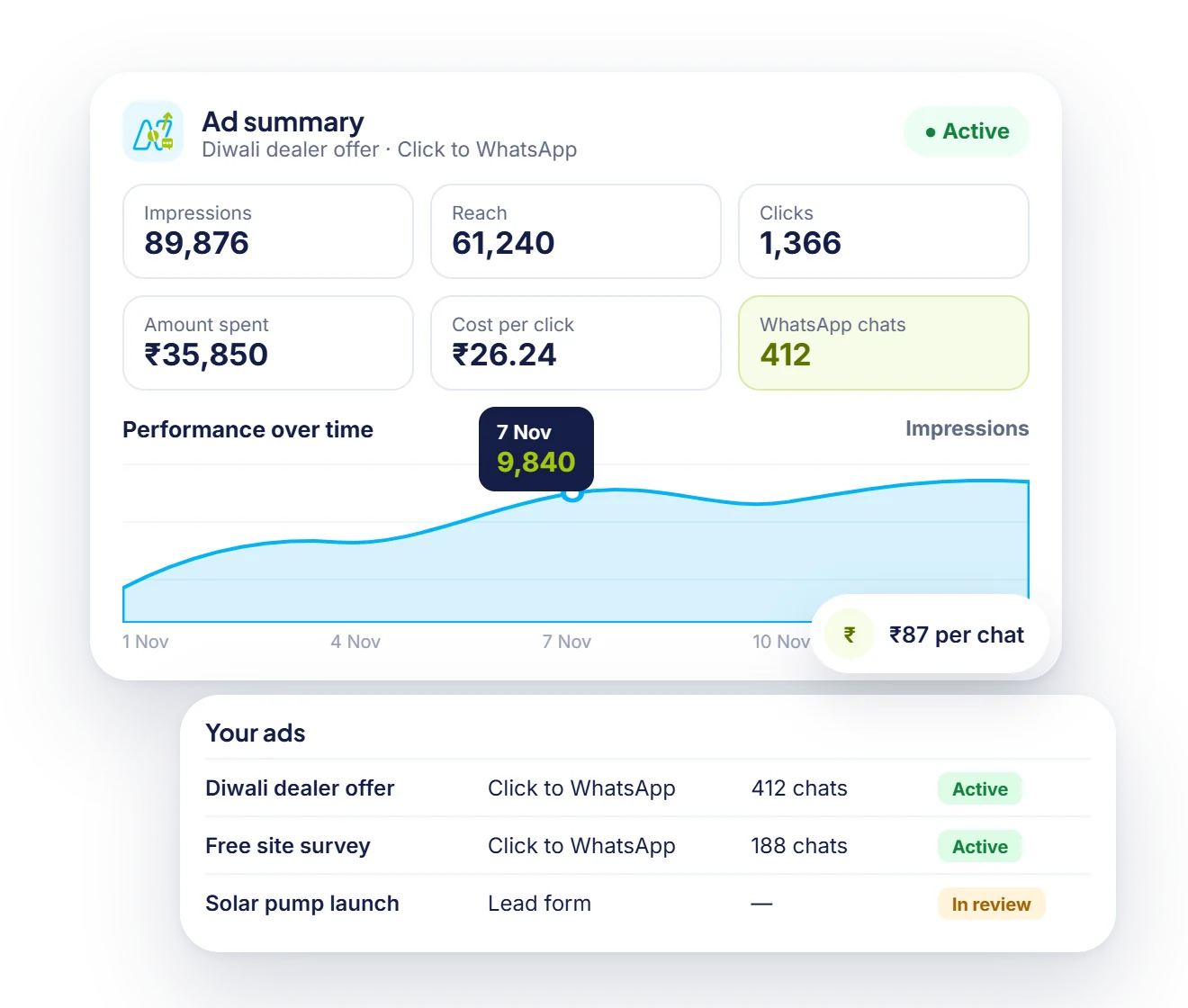
Results
Impressions, clicks and spend sit next to the number that matters: how many chats each ad started and what each one cost.
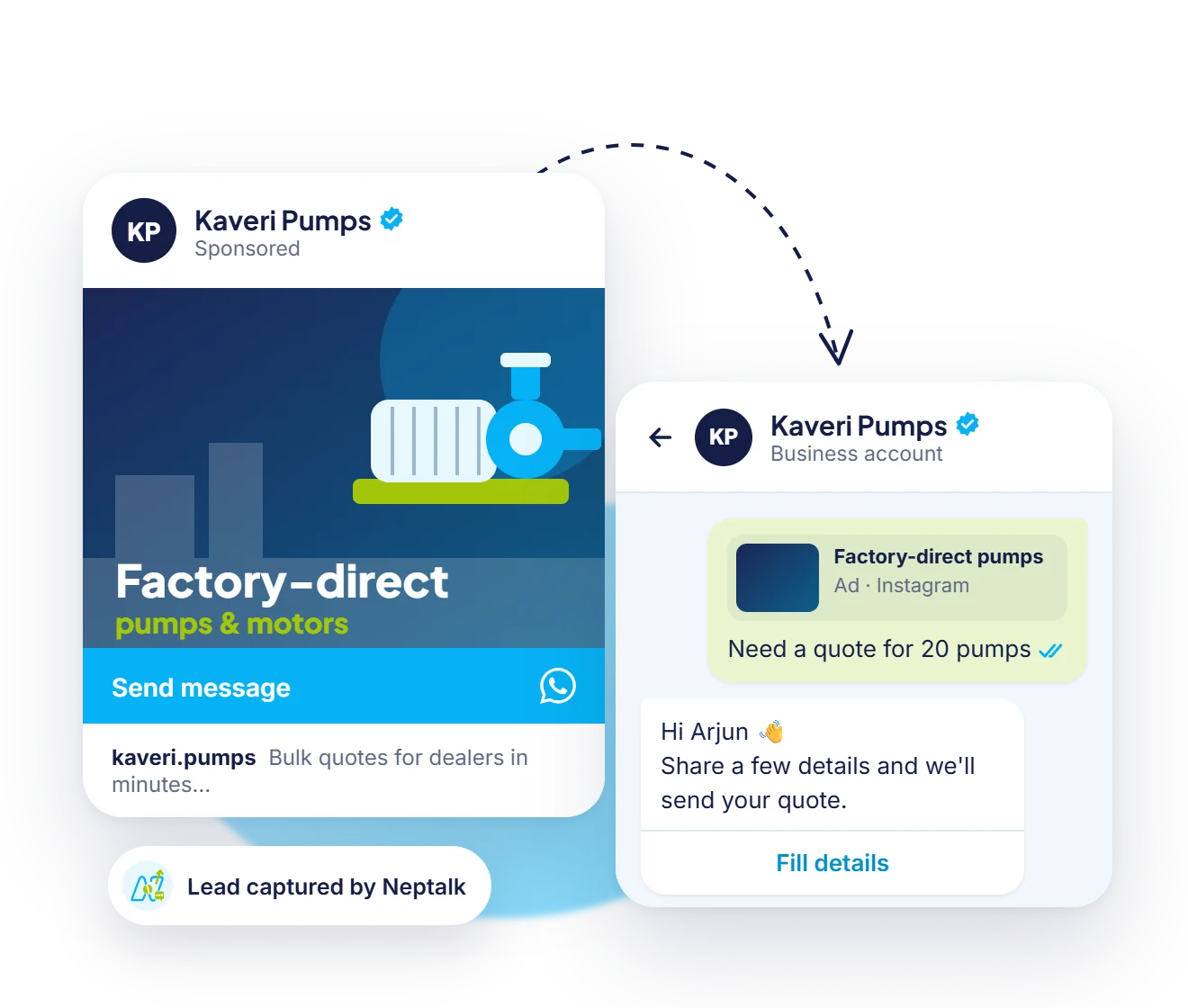
Leads
People who tap your ad land in a WhatsApp chat with your business. A welcome flow greets them and a form collects what your sales team needs.
How it works
Link your Facebook ad account and WhatsApp number to Neptalk.
Use AI suggestions to write your ad, choose an audience and set a budget.
Pick a welcome flow so every lead gets an instant answer.
See which ads bring the best leads and move budget to winners.
Use cases
Qualify buyers by budget and location before your team calls.
Capture course enquiries and book counselling sessions automatically.
Turn ad clicks into chats that end with a product link and checkout.
Book consultations directly from Instagram ads.
Why Neptalk
A chat feels personal and has no form to abandon. Leads can ask questions and buy in the same conversation.
FAQ
It is a Facebook or Instagram ad with a button that opens a WhatsApp chat with your business instead of a website.
Yes. Your ad budget is paid to Meta from your own ad account. Neptalk helps you create and manage the ads and the conversations they start.
Under Meta's rules, service conversations that start from a Click-to-WhatsApp ad get a free messaging window. Check our pricing page for the latest details.
Yes. Connect your current ad account and Business Manager. Your existing campaigns and audiences stay as they are.
Yes. Set up a flow that asks your questions, tags the lead and hands hot leads to your team.