Lead qualification
Ask budget, location, configuration and timeline, and score every lead.
Property buyers compare many projects and go with the team that answers fastest. Neptalk replies to every enquiry, asks budget and location, shares brochures and books site visits, then hands hot leads to your sales team.
Features
Turn ad clicks and portal enquiries into site visits.
Ask budget, location, configuration and timeline, and score every lead.
Let buyers choose a visit slot, then send the location and a reminder.
Share brochures, floor plans, price sheets and videos in the chat.
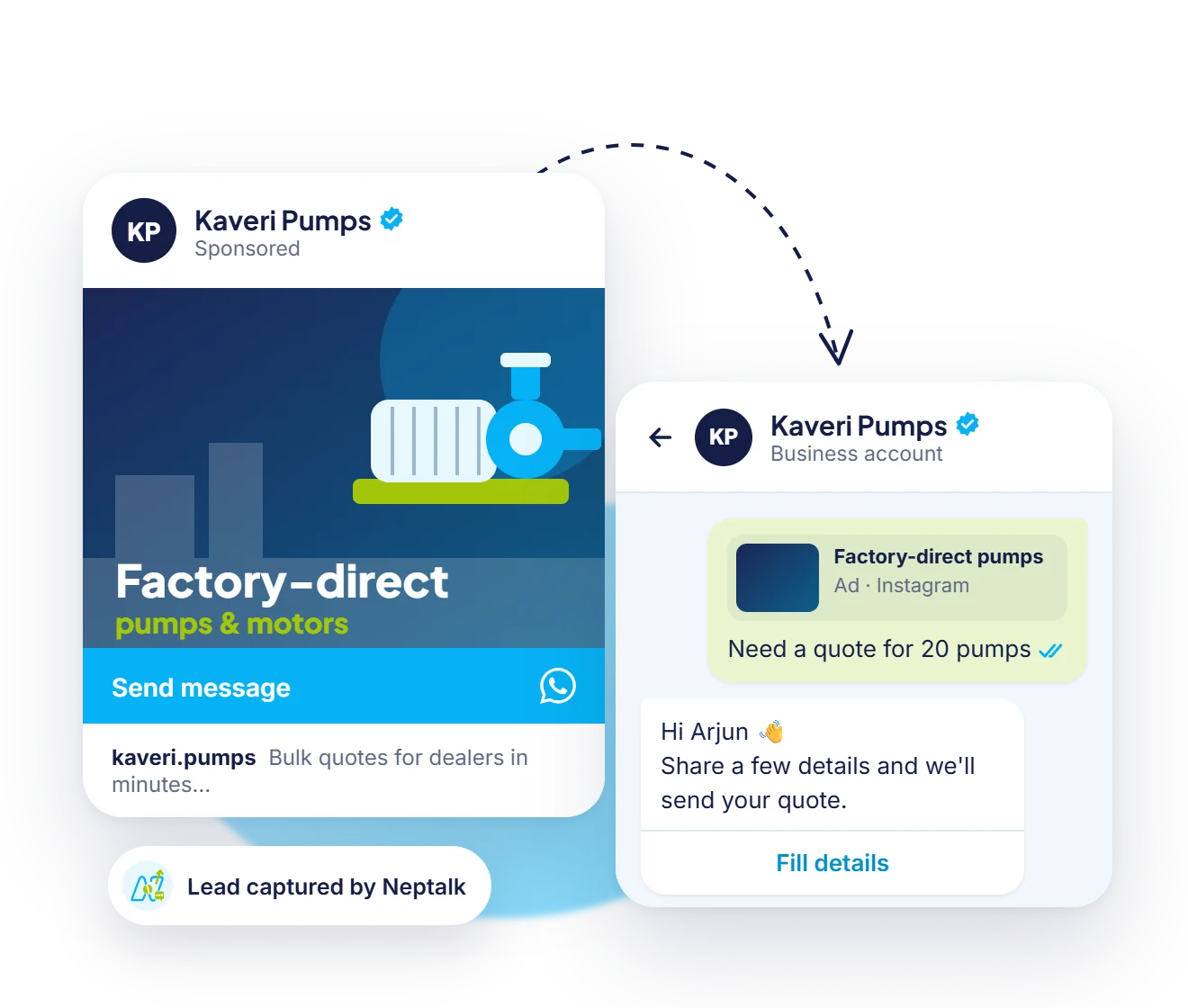
Run ads that open a chat and start qualifying immediately.
Assign leads to the right sales person by project or location.
Announce new launches, price changes and offers to opted-in buyers.

Ads
Create a Click-to-WhatsApp ad, choose locations and budget, and send every click into a qualifying chat.
Sales routing
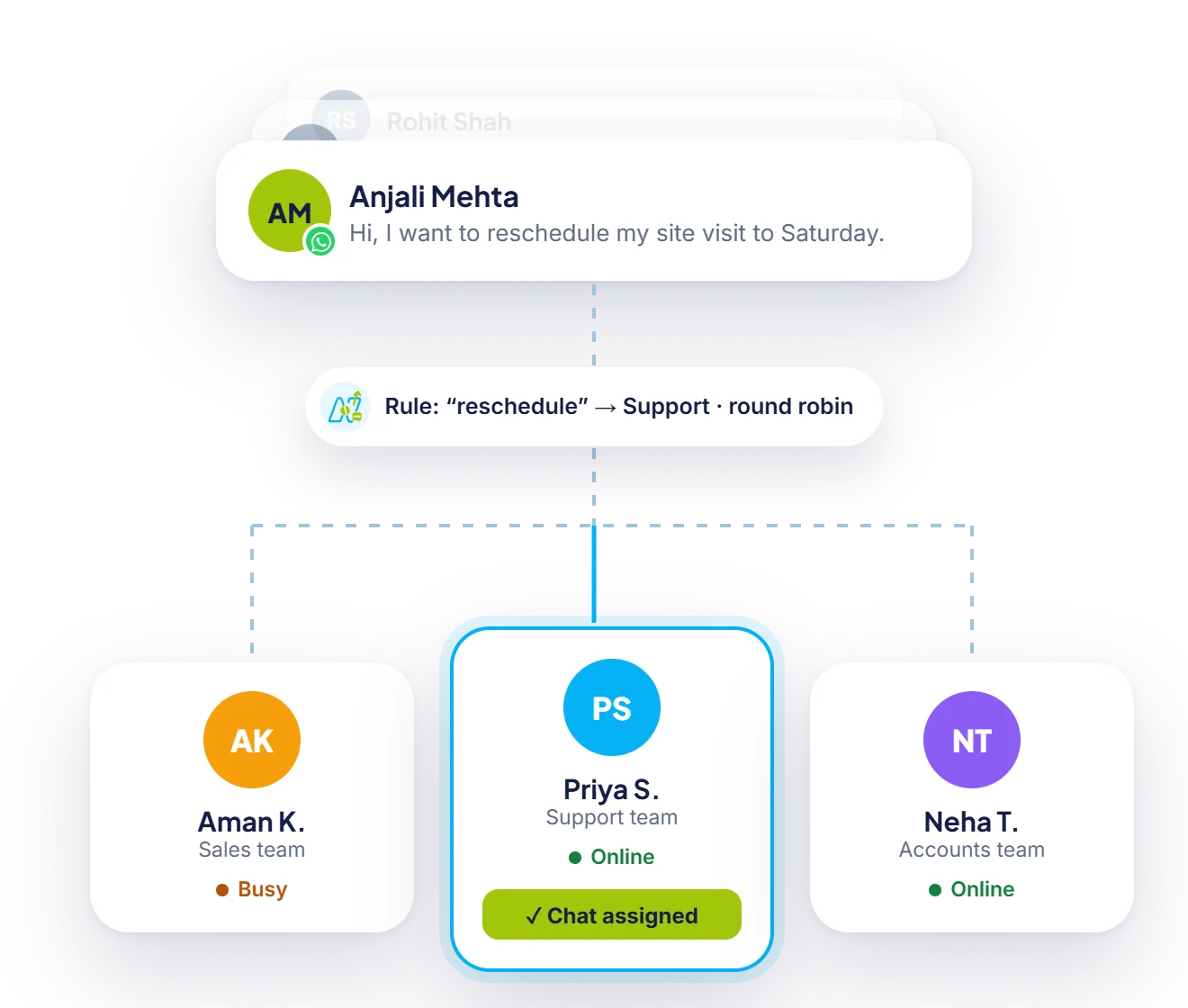
Leads are assigned by project or location to sales team members who are online.
Results
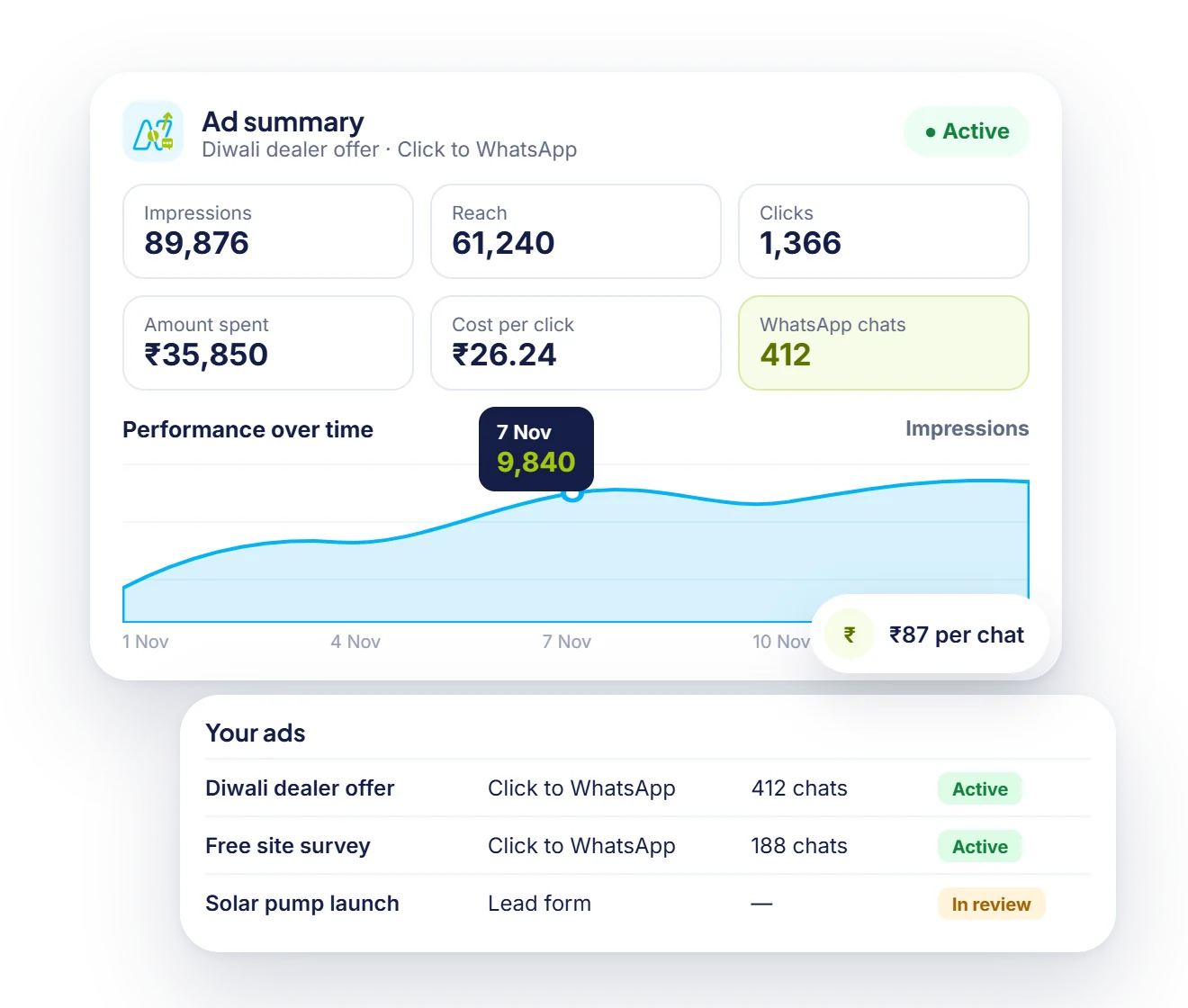
Impressions, clicks and spend sit next to the number of WhatsApp chats each ad started.
How it works
Set up your sales number on the official API.
Link your real estate CRM through the API or webhooks.
Switch on qualification, brochure sharing and visit booking.
Use ads and broadcasts to fill your pipeline.
Use cases
Qualify project enquiries and book site visits.
Share listings and follow up with buyers and tenants.
Answer pricing questions and book tours.
Send payment schedules and construction updates to buyers.
Why Neptalk
Speed matters in property enquiries. Neptalk answers in seconds, filters out casual browsers and books visits for serious buyers.
FAQ
They use it to qualify property enquiries, share brochures and price lists, book site visits and send launch and payment updates to buyers.
Yes. Click-to-WhatsApp ads open a chat where a flow asks budget, location and timeline, so your team receives qualified leads.
Yes. Neptalk connects with your real estate CRM through the API or webhooks, so events in your system can send WhatsApp messages automatically. Our team helps with the setup.
Yes. Images, PDFs and videos can be shared in template messages or chat replies.