Contact profiles
See name, number, tags, custom fields, notes and every past chat in one panel.
Neptalk keeps a profile for every contact who messages you, with tags, custom fields, opt-in status and the full conversation history, so your team can sell and support with context.

Features
Organise contacts the way your business works and use that data in every message.
See name, number, tags, custom fields, notes and every past chat in one panel.
Group contacts by interest, stage or location and use the groups in campaigns.
Store anything you need, such as city, order value, plan or account manager.
Track when and how each contact opted in to keep your messaging compliant.
Bring contacts in from Excel or CSV and export them whenever you need.
Keep contacts and fields in sync with your existing CRM through integrations or the API.

Neptalk Assistant
Ask who hasn't ordered in 60 days or who clicked last week's offer. The Assistant builds the list and can draft the follow-up.
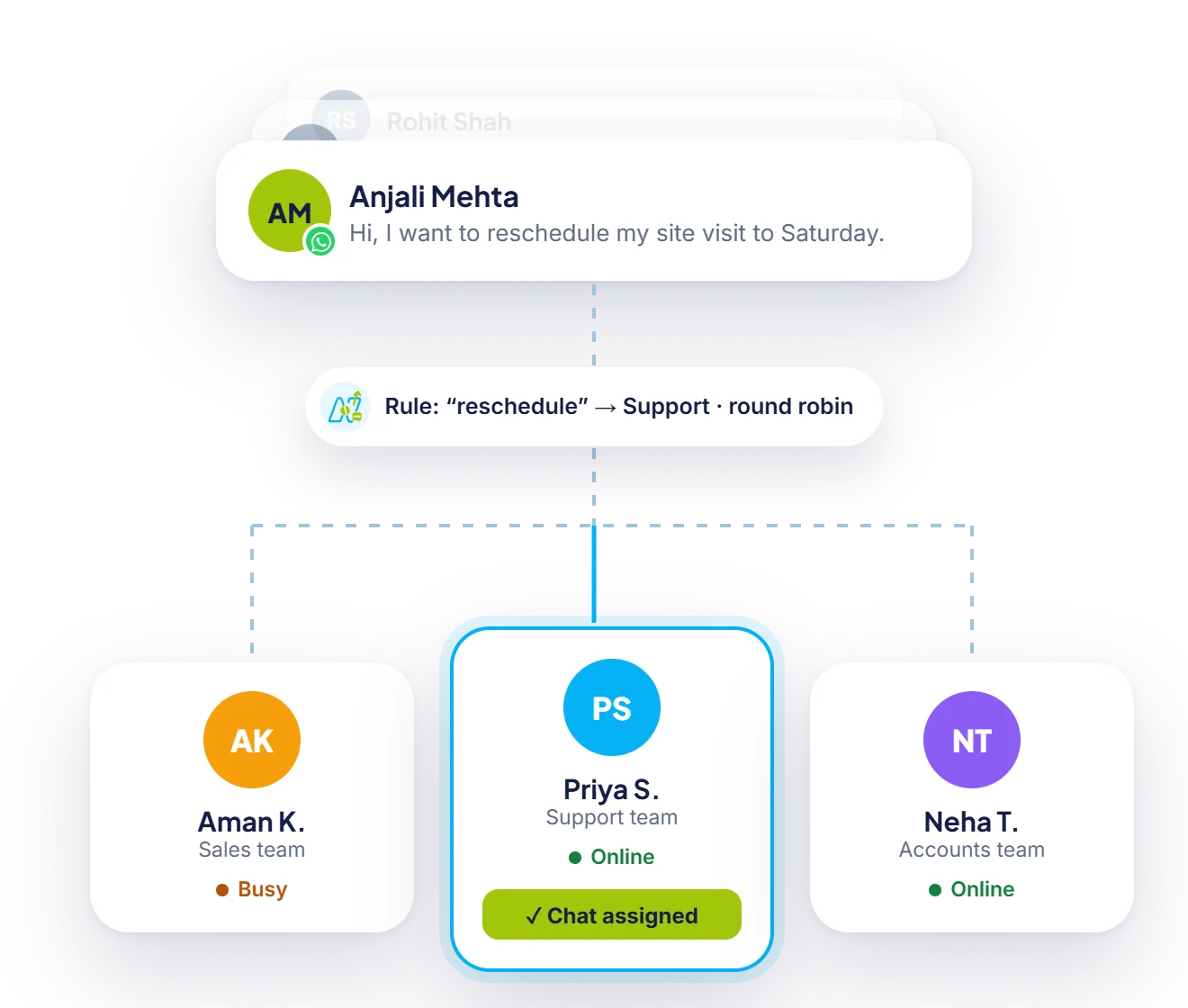
Ownership
Assign chats and contacts to the right person automatically, so no lead is left waiting.

Segments that perform
Send to a segment and watch delivered, read, clicked and replied numbers, then follow up with the people who clicked.
How it works
Upload a sheet or let contacts build up from incoming chats.
Create the fields and tags that match your sales or support process.
Use chatbots and forms to fill fields automatically.
Personalise broadcasts, route chats and trigger flows with contact data.
Use cases
Tag leads by stage and follow up with the right message for each one.
Spot loyal buyers and send them early access or loyalty offers.
Keep dealer details, territories and account managers together.
See warranty, product and past complaints before replying.
Why Neptalk
When your team can see who a customer is and what they bought, replies get faster and more personal.
FAQ
No. You can store as many contacts as you need on every Neptalk plan.
Yes. Upload an Excel or CSV file, map the columns to Neptalk fields and add tags during import.
Yes. Contacts and fields can sync with popular CRMs through ready integrations, webhooks or the Neptalk API.
Opt-ins can be captured from website widgets, forms, QR codes or chat replies, and the date and source are saved on the contact.
You control access with roles. For example, agents can see only the chats assigned to them.