Smart segments
Target contacts by tags, city, purchase history or any custom field you store in Neptalk.
Reach every opted-in customer with offers, updates and reminders on the channel they actually read. Neptalk personalises each message, sends it on schedule and shows you who read, clicked and replied.

Features
Plan, personalise and measure every broadcast from one screen.
Target contacts by tags, city, purchase history or any custom field you store in Neptalk.
Insert names, order numbers, dates and links so every message feels written for one person.
Pick a date and time, or send in batches so your team can handle the replies.
Add images, videos, PDFs, quick replies and call-to-action buttons to lift response rates.
Track sent, delivered, read, clicked and replied counts for every campaign as it runs.
Follow up automatically with contacts who did not read or click the first message.

Reports
Every broadcast has its own report, so you know which offers work and who to follow up with.
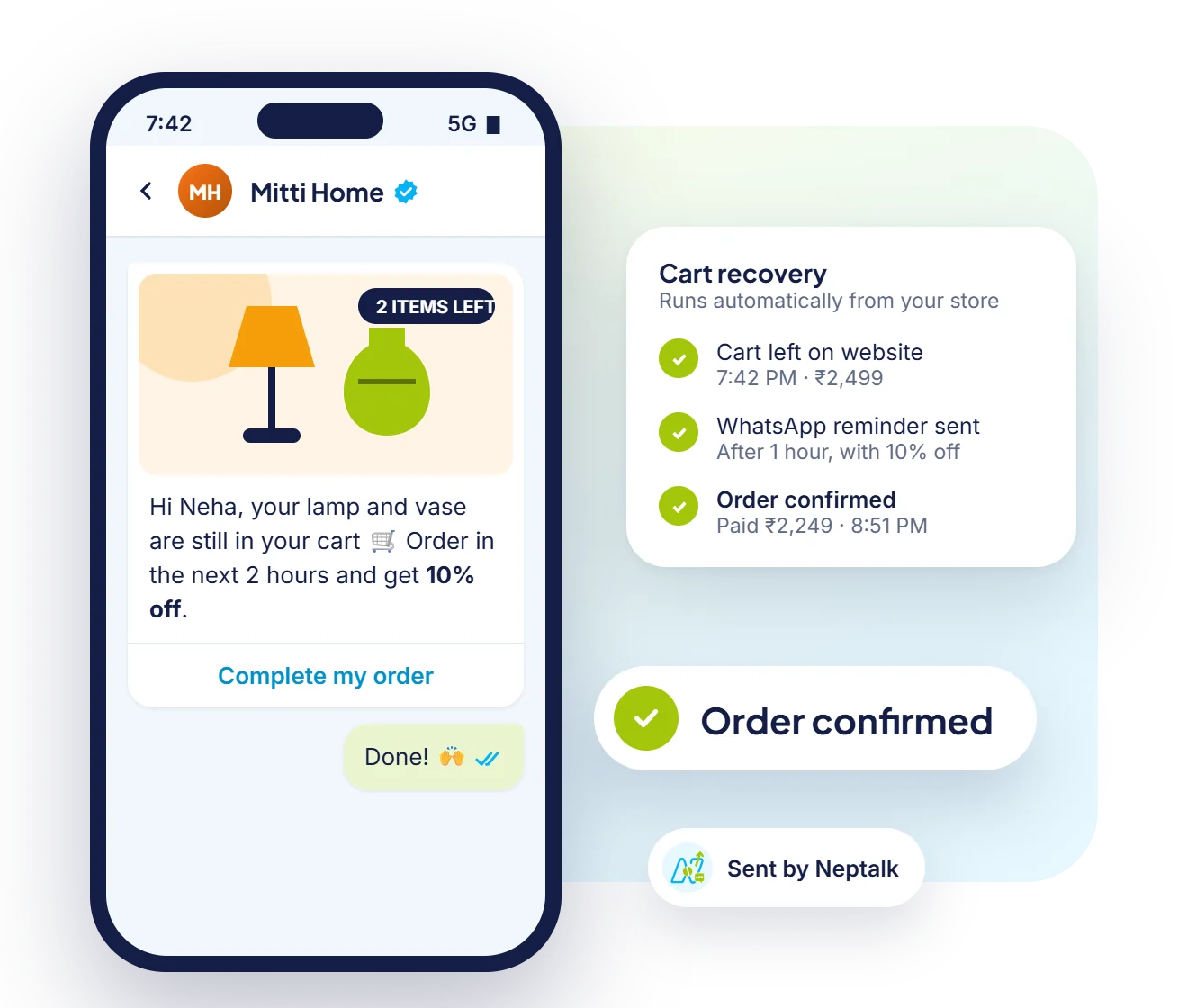
Automated campaigns
Besides one-off broadcasts, trigger messages automatically, like cart reminders and order updates, from your store.

Write with AI
Describe your offer and the AI writes a template with an image, text and buttons, ready to submit to Meta.
Messaging limits
Meta limits how many unique customers a number can message in a rolling 24 hours. Neptalk shows your current tier and helps you move up.
New numbers begin with a modest daily limit while Meta learns how customers respond to your messages.
When you message a good share of your current limit with high-quality templates, Meta reviews your number for the next tier.
Low blocks and reports keep your quality rating green. Neptalk shows the rating on your dashboard so you can act early.
Tiers keep rising until there is no daily cap. Upgrades are automatic and usually take effect within a day.
How it works
Upload a CSV or Excel sheet, or sync contacts from your CRM or store.
Pick an approved template or create a new one and submit it to Meta from Neptalk.
Filter by tags or attributes and preview how the message looks for each contact.
Send now or schedule, then watch delivery and replies in the campaign report.
Use cases
Announce sales, new arrivals and restock alerts to past buyers.
Share admission dates, results and fee reminders with students and parents.
Send health camp invites, check-up reminders and clinic announcements.
Share new price lists and schemes with dealers and distributors.
Why Neptalk
WhatsApp messages are read within minutes, and buttons let customers act without leaving the chat. Neptalk keeps it compliant and easy to run.
FAQ
Neptalk has no contact limit. Meta sets a daily messaging limit for each number, which starts small and increases automatically as you send good-quality messages.
Yes. WhatsApp requires an opt-in before you send template messages. Neptalk helps you collect and record opt-ins through forms, website widgets and chat.
Meta charges per template message depending on its category, such as marketing or utility. Neptalk shows the estimated cost before you send. See the pricing page for current rates.
Yes. Templates can include an image, video or document header, along with quick-reply or call-to-action buttons.
Not if you message opted-in contacts with relevant content. Neptalk shows your number's quality rating so you can adjust before it becomes a problem.
Neptalk warns you before you send. You can split the audience across days or schedule the rest for when your limit resets, so no one is silently skipped.
Yes. Pick a date and time and Neptalk sends the campaign automatically. Scheduled campaigns can be edited or cancelled until they start.
Yes. After a campaign, build a segment of contacts who did not read, did not click or did not reply, and send them a different message.