Shared team inbox
Let many agents reply from one WhatsApp number, with chat assignment, notes and tags.
Move beyond the WhatsApp Business app. Neptalk gets your number on the official API, then gives you a shared inbox, broadcasts, chatbots and integrations in one dashboard.
Features
The API unlocks messaging at scale, automation and teamwork, with the trust of a verified business profile.
Let many agents reply from one WhatsApp number, with chat assignment, notes and tags.
Send approved template messages to opted-in contacts without the 256-contact limit of the app.
Automate FAQs, lead capture and order updates with no-code flows or AI agents.
Connect your CRM, store or software and trigger messages from your own systems.
Apply for the blue tick and show customers they are talking to the real business.
Built on Meta's official platform with opt-in management and end-to-end encryption.

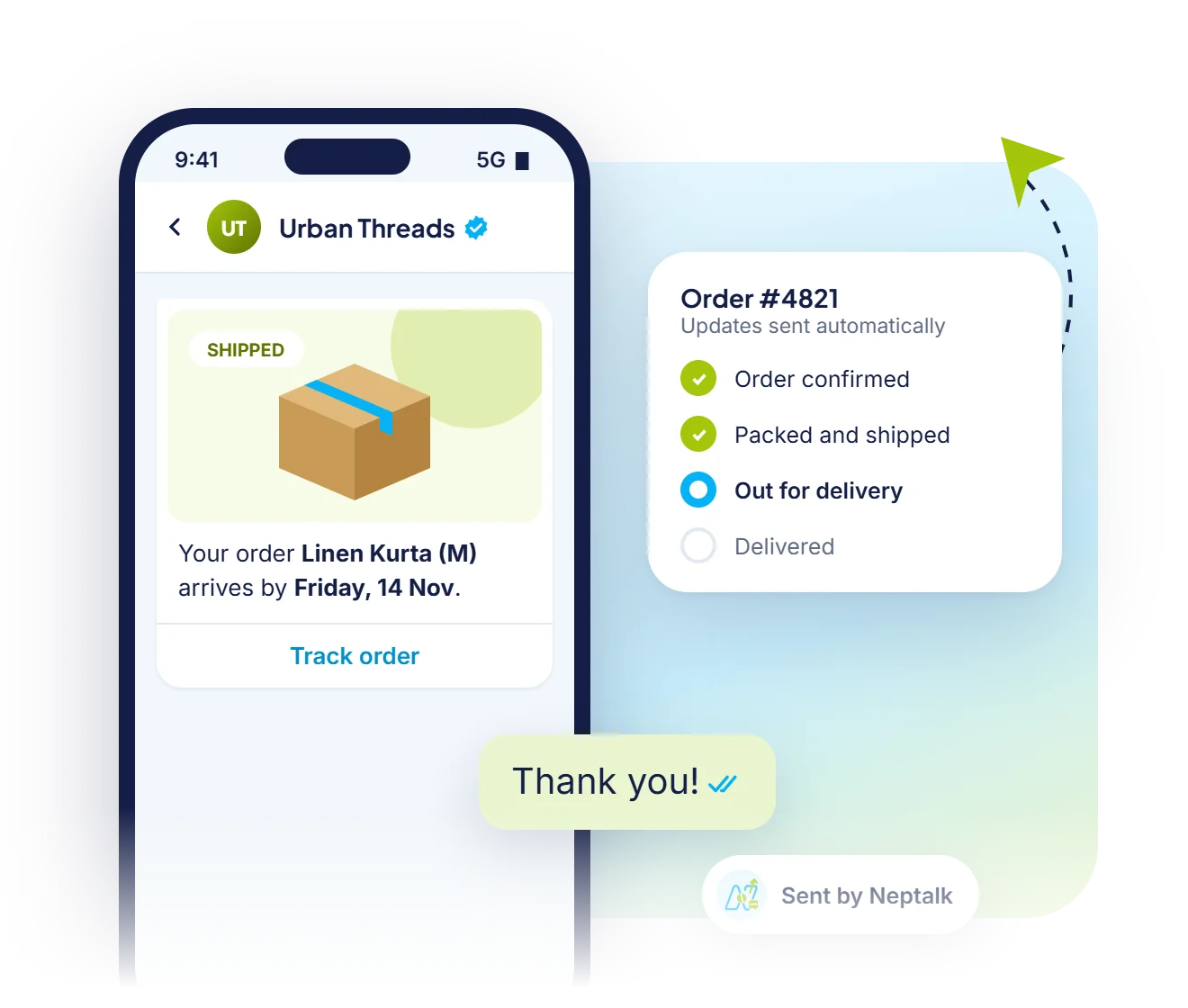
Shared team inbox
Every chat on your API number lands in one Neptalk inbox. Agents see the customer's tags, past orders and journey beside the chat, and can send a payment request without switching apps.
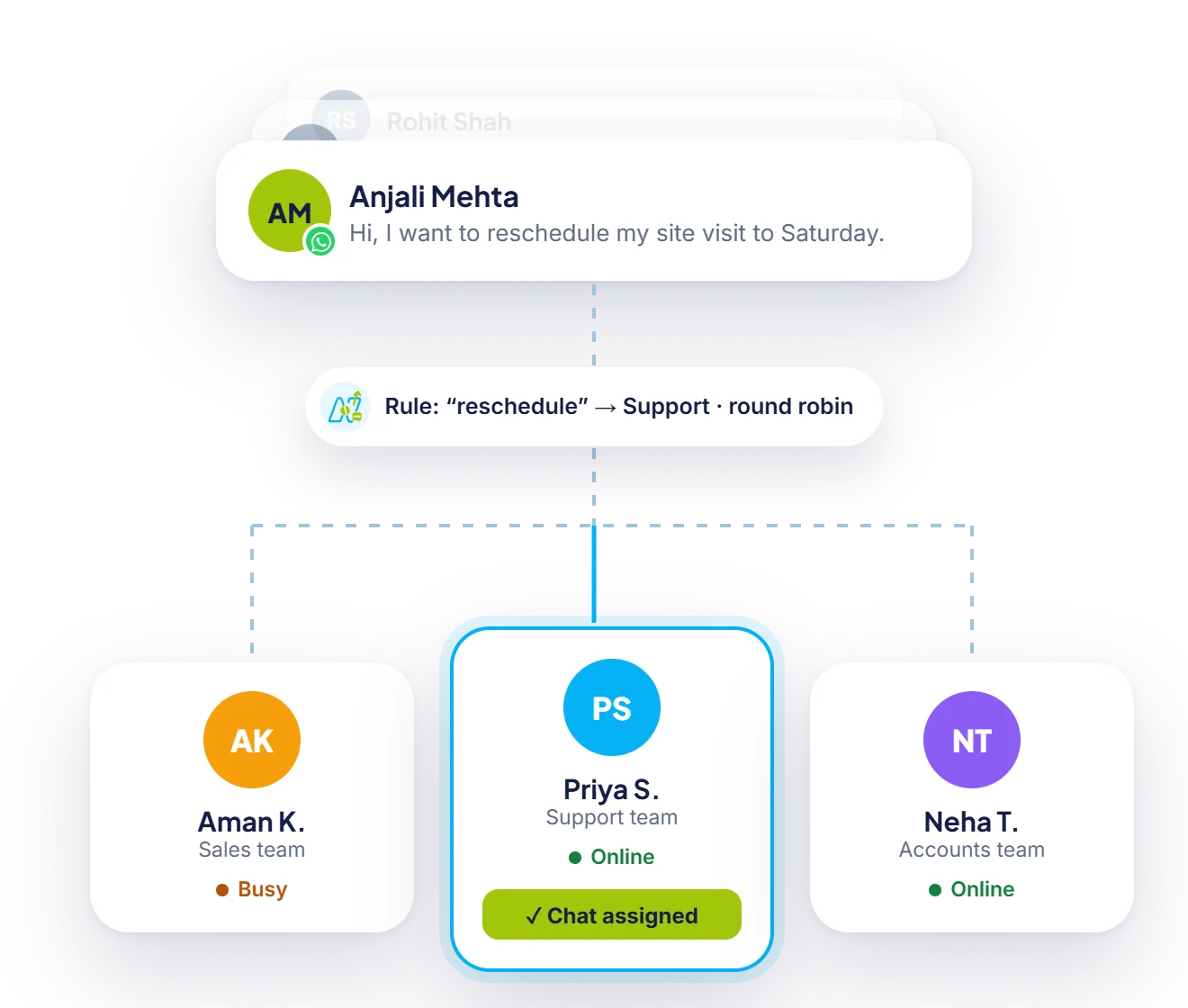
Chat routing
Set rules once and Neptalk assigns each new conversation by keyword, team or language, sharing chats fairly between agents who are online.

Broadcasts
The WhatsApp Business app limits broadcast lists. With the API, import your contacts, pick an approved template and reach your whole list, within Meta's daily limit.
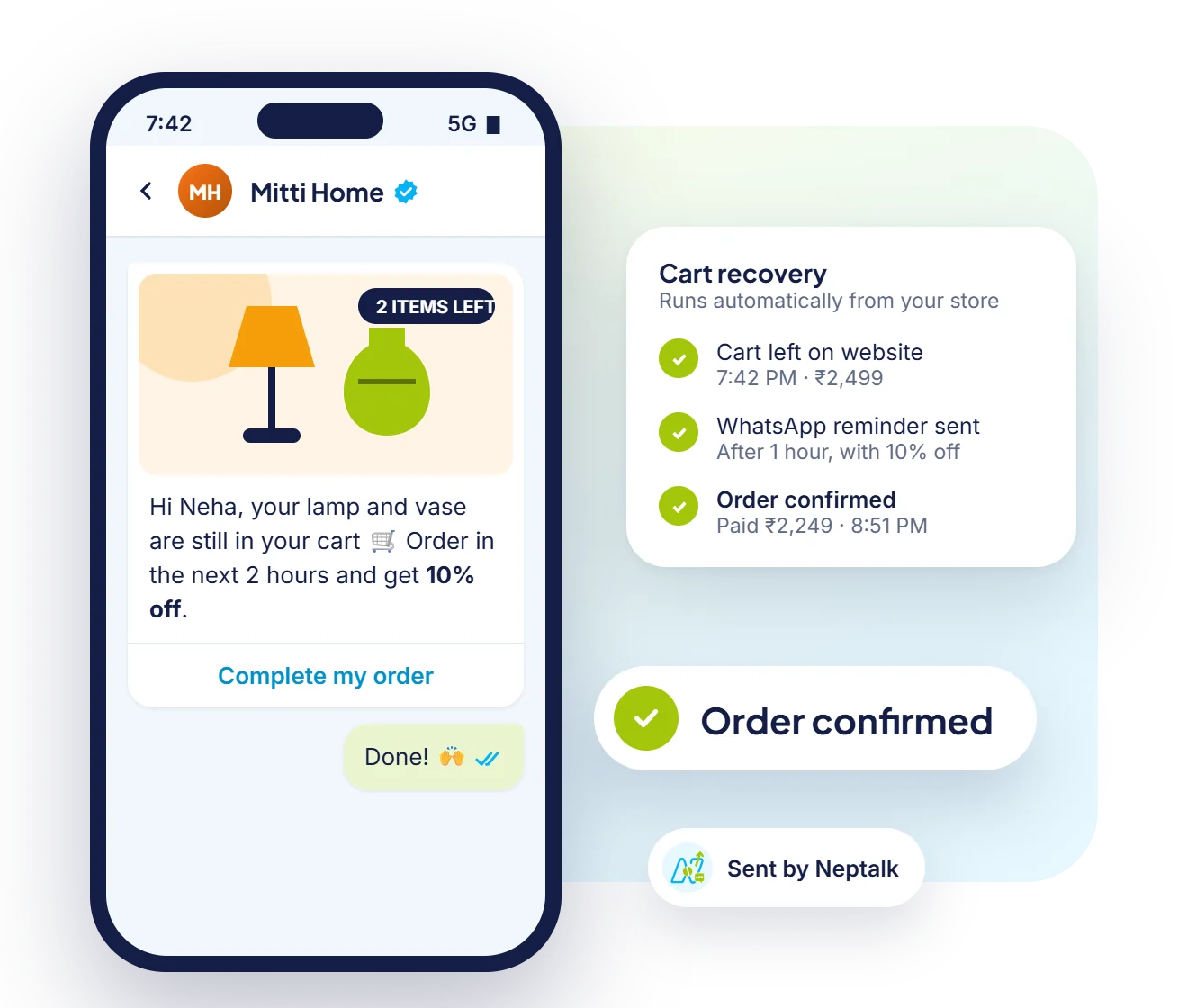
Automated messages
Connect your store and the API sends cart reminders, order confirmations and delivery updates the moment they happen, with no manual work.
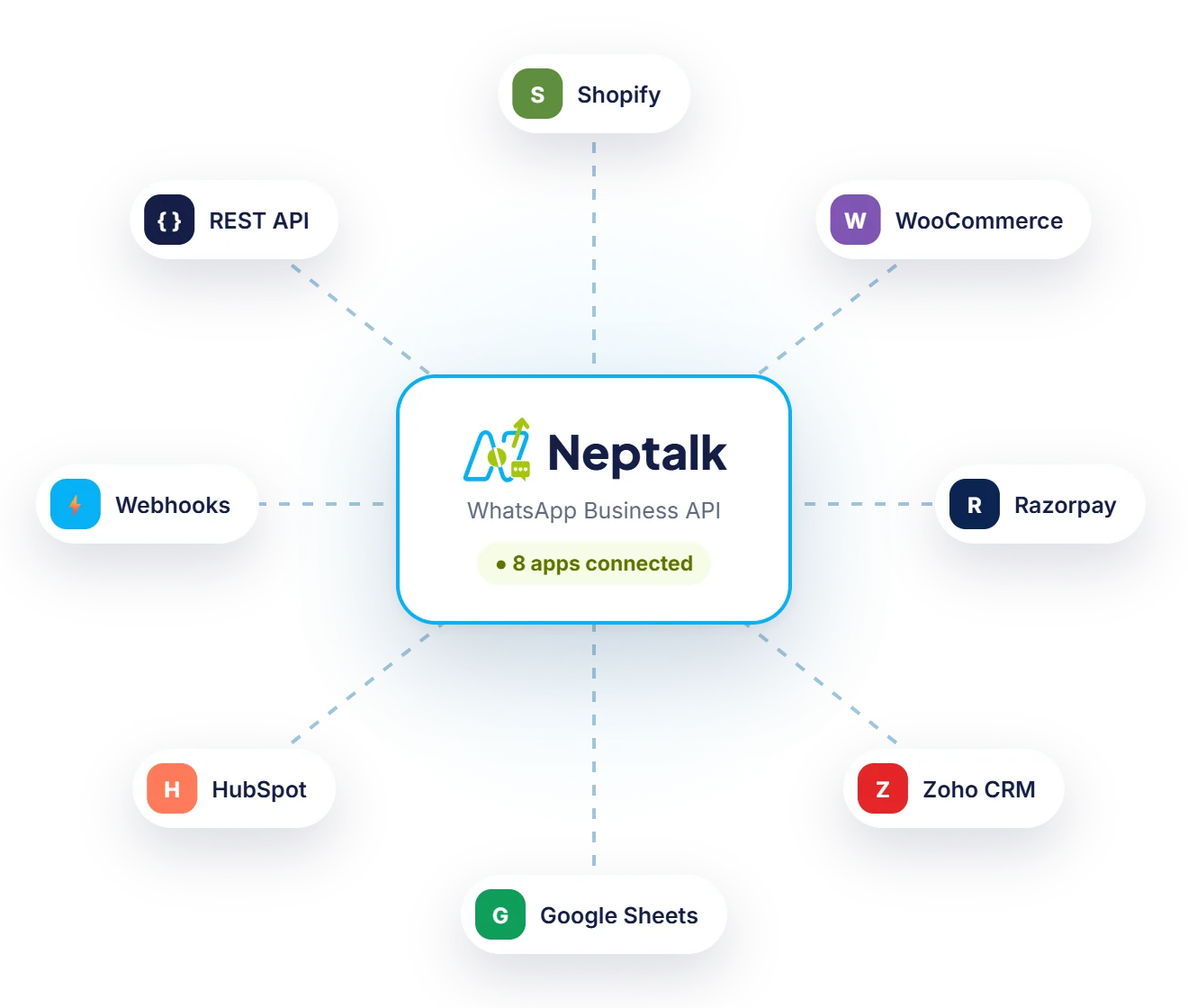
Integrations
Send WhatsApp messages from your store, CRM, payment gateway or spreadsheet, or build your own flows with webhooks and the REST API.
App vs API
The free app works for a shop owner with one phone. Once a team, automation or bulk messaging is involved, the API is the right tool.
| WhatsApp Business app | WhatsApp Business API with Neptalk | |
|---|---|---|
| Who replies | The owner's phone and a few linked devices | 1 owner + 5 agents on paid plans, more seats at ₹750/month |
| Bulk messages | Broadcast lists of up to 256 contacts who saved your number | Template campaigns to every opted-in contact, within Meta's daily limit |
| Automation | Greeting message, away message and quick replies | No-code chatbots, AI agents, drip sequences and event triggers |
| Interactive messages | Plain text, media and simple links | Reply buttons, lists, carousels, forms and in-chat payments |
| Integrations | None | Shopify, WooCommerce, CRMs, Google Sheets, webhooks and REST APIs |
| Reports | Basic message counts | Delivered, read, clicked and replied for every campaign |
| Verified badge | Paid Meta Verified subscription | Blue tick application with help from our team |
| Cost | Free app | Neptalk plan plus Meta's per-template charge; replies inside 24 hours are free |
Before you apply
Keep these ready and most accounts go live within a few days. Our onboarding team checks everything with you first.
A GST certificate, Udyam registration or incorporation document in the business's legal name.
The free Business Manager account that Meta uses to verify your company.
A number that can receive an SMS or call. It should not be active on regular WhatsApp, or be ready to move.
A live site that shows the same business name and address as your documents.
The brand name customers will see. Meta checks that it matches your business.
A way to record customer permission, such as a website checkbox, a form or a first message from the customer.
How it works
Create your Neptalk account and add your business details.
Connect your Facebook Business Manager. We guide you through verification.
Use a new number or move an existing one to the API.
Invite your team, import contacts and send your first campaign.
Use cases
Order confirmations, shipping updates, COD checks and abandoned cart reminders.
Appointment booking, reminders and invoices sent straight to WhatsApp.
Respond to leads from ads and websites within seconds, with full chat history.
Handle support at scale with routing, canned replies and chatbots.
Why Neptalk
We handle the technical setup with Meta, so you get a working account fast and pay only for what you use.
FAQ
It is Meta's official platform for medium and large businesses. Unlike the WhatsApp Business app, it supports many users on one number, automation, integrations and bulk messaging to opted-in customers.
Most businesses go live within a few days once Facebook Business verification is complete. Our team helps you prepare the documents.
Setup with Neptalk is free. Meta charges per message based on the category (marketing, utility, authentication or service), and you can pick a Neptalk plan that fits your volume.
Yes. A number on the WhatsApp app or with another provider can move to the API. Usually the number then works only on the API. Meta also offers a coexistence option for some WhatsApp Business app numbers, so you can keep the app and the API together. Our team checks whether your number qualifies.
No. You can use everything from the Neptalk dashboard. Developers can use our APIs and webhooks if you want deeper integrations.
Meta sets a daily limit on how many unique customers you can start conversations with. New numbers begin at a lower tier, and Meta raises the limit step by step, up to unlimited, when you message good numbers of customers and keep a high quality rating.
Yes. Numbers from most countries work on the API. A few countries are restricted by Meta, so share your number's country with us and we will confirm before you start.
Meta matches your legal business name, address and website against the documents you upload. Using the same name everywhere is the fastest way to get approved.